Advertisement
Click to download now, finish the installation quickly, and directly unlock the "all-round experience"
Advertisement
Screenshots


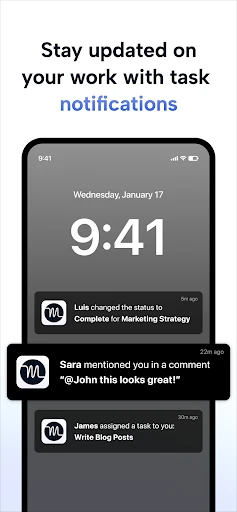

Click to download now, finish the installation quickly, and directly unlock the "all-round experience"
Motion: Tasks & AI Scheduling represents a sophisticated evolution in the productivity software landscape, moving beyond static to-do lists into the realm of autonomous time management. By leveraging a proprietary algorithm to dynamically reorganize schedules in real-time, Motion addresses the "planning fallacy" that plagues most professionals. It positions itself not just as a tool, but as a digital executive assistant designed to eliminate the cognitive load of manual scheduling. In a market saturated with passive trackers, Motion’s proactive approach to calendar management makes it a formidable contender for high-output individuals and teams.
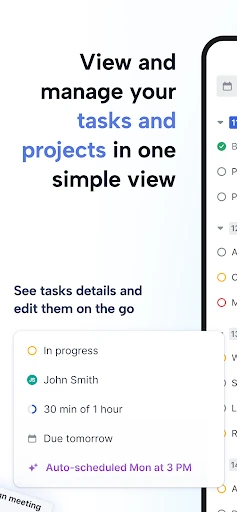
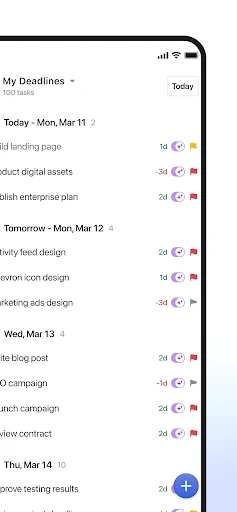
The user interface of the Motion mobile app is designed with a "companion first" philosophy. It focuses on high-glanceability and quick interactions, adhering to the standards expected of top-tier productivity tools. The design emphasizes the daily timeline, providing a clear visual representation of the AI-optimized schedule. While the UI is clean and professional, the UX is intentionally streamlined; because it is a companion to the desktop version, the mobile interface avoids clutter by offloading complex configuration settings to the web app. This ensures that the mobile experience remains fast and responsive for users on the move.
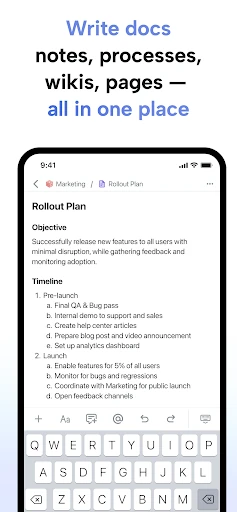
To further enhance the mobile experience, Motion should consider migrating more core settings from the desktop version to the mobile interface. Providing users with the ability to adjust the underlying scheduling algorithm parameters or modify complex team permissions directly from their phone would increase the app's utility. Additionally, enhancing the offline capabilities for note-taking and task creation would benefit professionals who need to capture ideas in environments with unstable connectivity.
Motion: Tasks & AI Scheduling is an elite solution tailored specifically for busy professionals, entrepreneurs, and project-heavy teams who feel overwhelmed by their current workflows. It is not a general-purpose app for the casual user, but rather a high-performance engine for those whose time is their most valuable asset. We highly recommend this app for users who already utilize the Motion desktop ecosystem and require a reliable, AI-driven window into their schedule while away from their desks. It is the gold standard for automated time management.