Advertisement
Click to download now, finish the installation quickly, and directly unlock the "all-round experience"
Advertisement
Screenshots
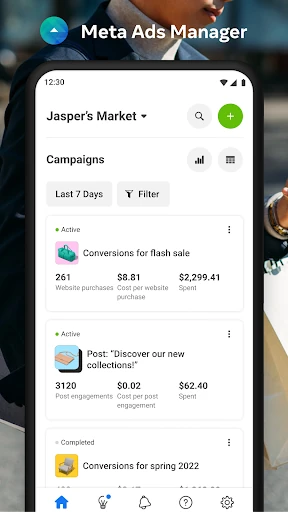

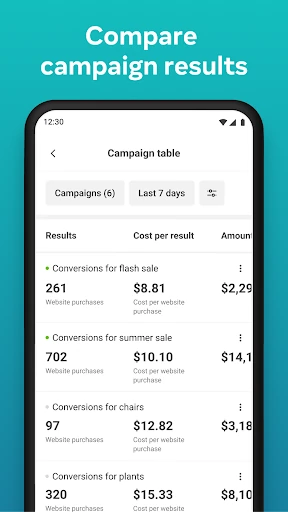
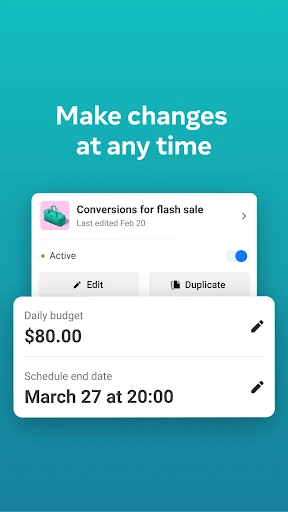
Click to download now, finish the installation quickly, and directly unlock the "all-round experience"
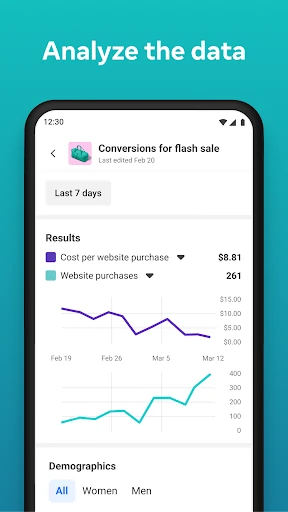
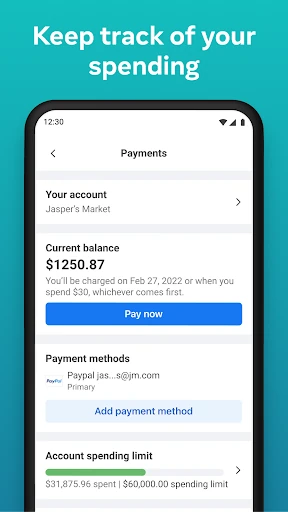
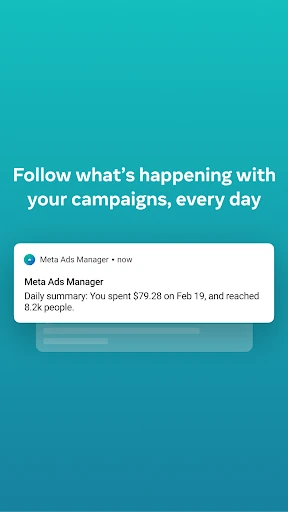
Meta Ads Manager serves as the indispensable mobile command center for digital marketers and business owners operating within the modern social media landscape. It bridges the gap between complex desktop-based campaign architecture and the need for agile, real-time decision-making. By consolidating advertising power across Facebook, Instagram, Messenger, and WhatsApp into a single portable interface, it empowers users to maintain peak performance for their digital investments regardless of their physical location. It is an essential tool for maintaining oversight in a business environment where every second of ad delivery counts.
The UI follows Meta's standard design language, emphasizing clarity and data-driven navigation. For a Business category app, it successfully balances high data density with mobile readability. The bottom navigation bar allows for quick switching between accounts and tools, while the use of visual charts makes complex metrics accessible. The design adheres to professional standards by prioritizing utility over aesthetics, though the deep nesting of some settings can occasionally lead to a steep learning curve for new users familiar only with the simplified "Boost Post" interface.
Meta should focus on optimizing the app's resource consumption to prevent significant battery drain during extended monitoring sessions. Additionally, integrating more robust mobile-first creative editing tools—such as basic video trimming or text overlay adjustments—and providing an offline mode for reviewing cached campaign data would significantly enhance the utility for professional users on the move.
Meta Ads Manager is a mandatory installation for social media managers, entrepreneurs, and digital marketing agencies. It is the gold standard for mobile ad management, providing the necessary tools to pivot strategies in real-time. While it is not intended to fully replace the desktop Ads Manager for deep creative setup or complex reporting, it is the ultimate companion for performance monitoring and rapid tactical adjustments.