Advertisement
Click to download now, finish the installation quickly, and directly unlock the "all-round experience"
Advertisement
Screenshots
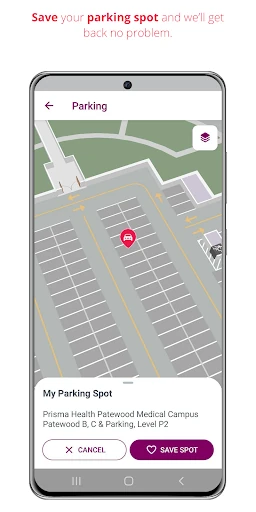
Click to download now, finish the installation quickly, and directly unlock the "all-round experience"
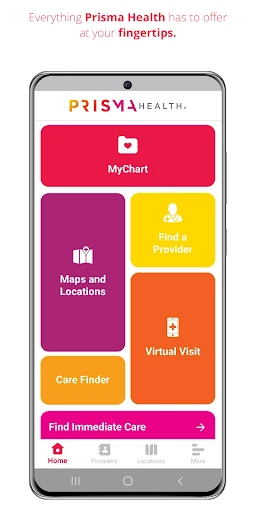
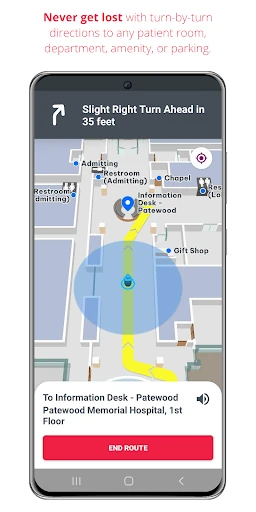
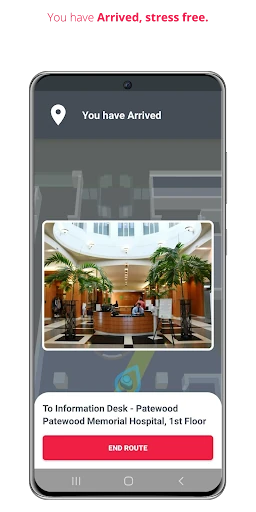
Prisma Health GO stands out as a sophisticated navigational and administrative utility within the Medical category. Rather than being just another patient portal, it functions as a comprehensive digital concierge designed to mitigate the inherent stress of navigating large-scale medical campuses. By integrating "Blue Dot" indoor GPS technology with administrative functions like appointment scheduling and bill payment, Prisma Health GO provides a seamless end-to-end user journey from the patient's home to the clinical exam room. It is a vital tool for the Prisma Health ecosystem that prioritizes patient logistics as much as clinical data.
The UI is architected with a utility-first mindset, which is critical for the Medical category where users may be under significant stress. The interface emphasizes high-contrast elements and clear iconography to ensure accessibility for a broad demographic, including elderly patients. The transition from outdoor GPS (driving) to indoor navigation is handled with impressive fluidity. From a UX perspective, the app succeeds by placing "action-oriented" tools—like finding a doctor or checking wait times—on the primary layer of the interface, minimizing the taps required to reach essential information.
To further enhance the user experience, future updates could include voice-guided navigation for visually impaired patients or those who cannot look at their screens while walking. Additionally, integrating "Offline Mode" for maps would be beneficial in hospital "dead zones" where cellular or Wi-Fi signals might be obstructed by heavy medical equipment or structural shielding. Finally, adding a "Save Destination" feature for recurring appointments could streamline the experience for chronic care patients.
Prisma Health GO is an essential download for any patient, caregiver, or visitor within the Prisma Health network. It effectively removes the logistical barriers of healthcare, allowing users to focus on recovery and consultation rather than directions and parking. It is a gold standard for facility-specific medical apps, successfully blending physical navigation with digital health management. Highly recommended for anyone frequenting Prisma Health facilities.