Advertisement
Click to download now, finish the installation quickly, and directly unlock the "all-round experience"
Advertisement
Screenshots

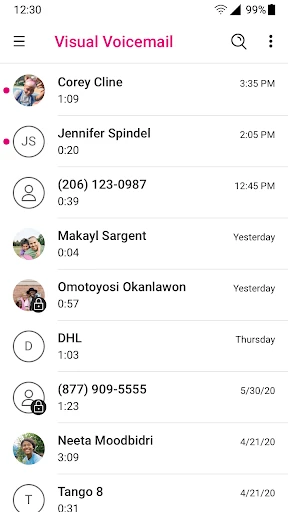
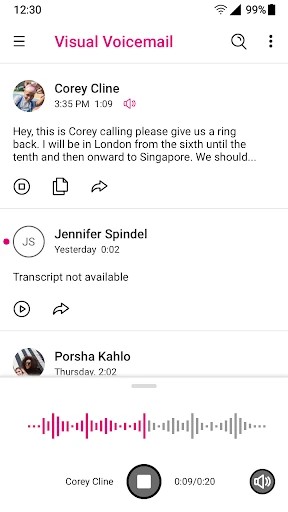
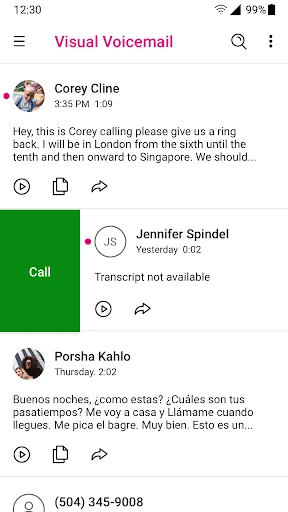
Click to download now, finish the installation quickly, and directly unlock the "all-round experience"
The T-Mobile Visual Voicemail app serves as a critical utility within the Android Communication landscape, modernizing the traditionally cumbersome process of managing voice messages. Rather than relying on legacy dial-in systems and sequential audio prompts, this application provides a graphical interface that brings voicemail management into the modern era. By integrating directly with the T-Mobile network, it offers a seamless bridge between carrier services and handset functionality, positioning itself as an essential tool for users who prioritize efficiency in their daily communications.
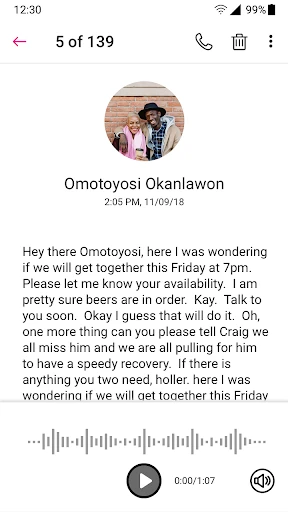
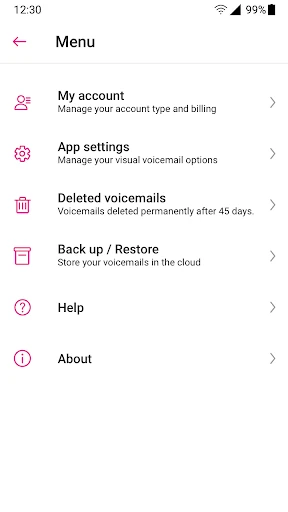
The user interface of T-Mobile Visual Voicemail is designed with a focus on utility and clarity. Adhering to standard Android Communication category paradigms, the layout uses a familiar inbox-style list that makes message navigation intuitive. While the design is more functional than flashy, the ease of use is high, with core actions like "Play," "Save," and "Delete" clearly accessible. The integration of Scam Shield features adds a layer of modern sophistication to what was previously a basic utility app, though the visual aesthetic leans toward a conservative carrier-branded look rather than cutting-edge Material Design.
To better compete with native OS-level voicemail integrations, T-Mobile should consider offering a basic tier of text transcription for free, as this has become a standard expectation in modern communication apps. Additionally, the UI could benefit from a more modern refresh, including better support for system-wide dark mode and dynamic theming. Reducing the reliance on foreground services to optimize battery consumption would also be a welcome technical refinement for the next update.
T-Mobile Visual Voicemail is a must-have for T-Mobile subscribers who still rely on voice calls for professional or personal communication. It is specifically designed for users who want to save time and maintain a high level of organization within their inbox. While some of the more advanced features require a subscription, the base app is an undeniable upgrade over traditional voicemail. We recommend it for any T-Mobile customer looking to streamline their communication workflow and protect themselves from the rising tide of scam calls.