🏆 Expert Verdict & Overview
PicCollage: Photo Video Editor stands as a premier solution in the Photography landscape, effectively bridging the gap between traditional photo editing and modern multimedia storytelling. While many competitors focus strictly on static imagery, PicCollage distinguishes itself by seamlessly integrating video assets into its layout engine. It serves as a comprehensive creative suite that empowers users to transform digital memories into structured visual narratives, whether for social media, digital scrapbooking, or personalized greeting cards. Its authoritative position in the market is sustained by a balance of automated AI tools and deep manual customization options.
🔍 Key Features Breakdown
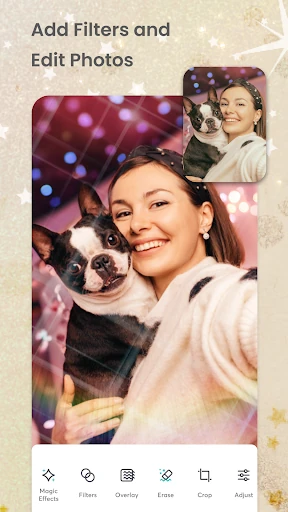
- Hybrid Media Grids: Enables the combination of both photos and videos within a single layout, solving the problem of static content fatigue on social platforms.
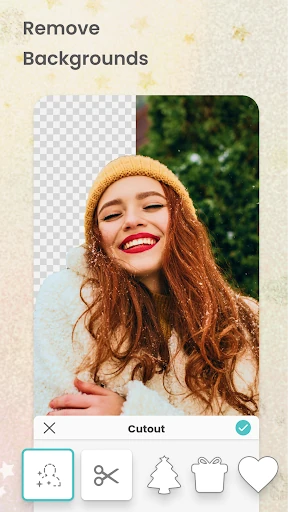
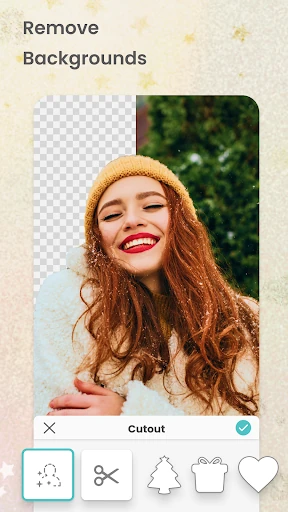
- AI-Powered Magic Tools: The Magic Cutout and Magic Expand features automate complex background removal and image extensions, saving users significant time during the composition phase.
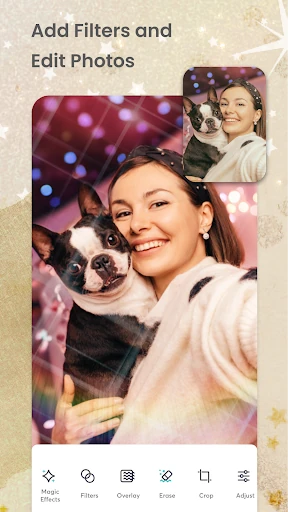
- Extensive Template Library: Offers a vast array of preset designs for cards, invitations, and stories, providing a professional starting point for users without design experience.
- Tactile Design Elements: Features like the doodle maker, crayon borders, and paper-tear effects provide a "hand-crafted" aesthetic that digital editors often lack.
🎨 User Experience & Design
The UI of PicCollage: Photo Video Editor is designed with a "mobile-first" philosophy, prioritizing tactile interactions and ease of discovery. For the Photography category, the UX succeeds by minimizing the learning curve; the drag-and-drop mechanics feel intuitive, mimicking the physical act of arranging photos on a table. The interface maintains a bright, inviting aesthetic that encourages experimentation without overwhelming the user with technical jargon. However, navigating the vast library of stickers and backgrounds is made efficient through clear categorization, ensuring the creative process remains fluid rather than frustrating.
⚖️ Pros & Cons Analysis
- ✅ The Good: Exceptional versatility in handling multiple media formats (photo, video, and animation) within one project.
- ✅ The Good: High-quality AI background removal that rivals professional desktop software in precision.
- ❌ The Bad: The presence of watermarks on the free tier can limit the utility for users not ready to commit to a subscription.
- ❌ The Bad: Advertisement frequency in the standard version can occasionally interrupt the creative workflow.
🛠️ Room for Improvement
To further elevate the platform, the developers could introduce more granular control over video assets, such as basic timeline editing or independent audio volume adjustments for each clip within a grid. Additionally, implementing a "layer management" panel would significantly assist users working on complex scrapbook layouts with multiple overlapping elements, making it easier to select and reorder specific assets without disturbing the rest of the design.
🏁 Final Conclusion & Recommendation
PicCollage: Photo Video Editor is the definitive tool for social media enthusiasts, families, and DIY designers who value speed and creativity. It is particularly well-suited for users who want to create high-impact visual content without the steep learning curve of professional design software. For those looking to commemorate life's milestones with a personalized touch, this app remains a top-tier recommendation in the Google Play ecosystem.